
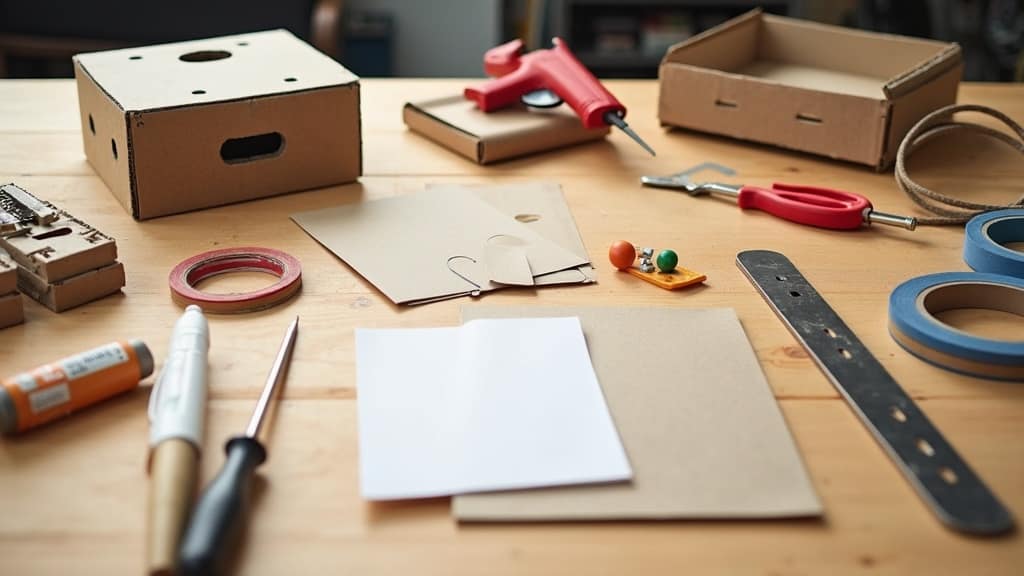
5 Steps To Create A Prototype On A Budget
Building a prototype doesn’t have to drain your bank account. If you’re kicking off a new product idea and want to see if it holds water without spending big, focusing on smart planning and resourcefulness will get you further than you might expect. I’ve pulled together practical tips to help you create a prototype on a budget while still ending up with something useful for testing, showing off, or iterating your design.
Why Prototyping Doesn’t Have to Be Expensive
Prototyping is one of the best ways to transform an idea into something real. It’s where your sketches, notes, or ideas actually turn into something you can touch or use. The myth that prototyping takes lots of money keeps many people from testing their ideas early. Much of the expense with prototypes comes from trying to make them look finished straight away or paying outside help for things you could try yourself.
Most startups and tinkerers start small by using basic materials or free tools to quickly check out what works. Some of the most successful products began as scrappy, low-cost prototypes built at home using bits and pieces from hardware stores or even recycled household items. Whether you’re building a physical item, an app, or something in between, there’s always a cheaper way to get your first version made.
5 Steps to Keep Your Prototype Budget Friendly
Costs can stack up quickly without a plan. Here’s how I keep expenses reined in without cutting corners that matter:
- Get Very Clear on What You Need to Test: Before you build anything, note the single problem your prototype is tackling. Defining your prototype’s main goal keeps you from adding features that push up the cost.
- Sketch the Concept First: Quick sketches on paper help you spot design fixes early. This step is virtually free and can save you from costly mistakes later on.
- Choose the Quickest, Cheapest Building Method: Materials like cardboard, foam board, paper, or basic 3D printing with low-cost filaments let you get something real to hold for testing or feedback.
- Use Online and Local Resources: Libraries, makerspaces, and hardware stores offer tools you might not own. Some even let you use equipment such as 3D printers or laser cutters for a small fee or for free.
- Focus on Function Over Looks: For early testing, function matters much more than polish. Save the eye-catching finishes for when you’re wooing investors or customers.
Low Cost Prototyping Materials and Tools
There’s no rule that prototypes need to look professional right away. I find simple, everyday items do the trick for functional models:
- Cardboard and Foam Board: Perfect for mockups, models, and basic structures for designs. They’re inexpensive and can easily be cut, glued, or painted as needed.
- 3D Printing (Entry Level): Many public libraries or makerspaces offer access to 3D printers at low rates. PLA filament is usually the cheapest to work with.
- Hot Glue Guns and Tape: Ideal for quick fixes and holds in physical models. These make it easy to try ideas where changes are common.
- Reusable Kits: Breadboards or Arduino kits are great for electronics projects. These parts can be reused, stretching your budget.
- Household Items and Recyclables: Don’t overlook bottle caps, boxes, jars, or even broken appliances when you need quick parts or support pieces.
For software or digital prototypes, check out:
- Figma or Sketch (Free Tiers): Handy for wireframing sites and app interfaces without the price tag of pro design suites.
- Canva or Google Slides: Fast, free options for arranging mockups and presentations with drag and drop simplicity.
Where to Track Down Helpful Prototype Resources on a Budget
I’ve found that building on a tight budget isn’t only about what you use, but who you learn from. Here are go-to resources worth exploring:
- Makerspaces and Hackerspaces: Shared community workshops packed with tools for building anything from electronics to simple crafts. Fees are usually low, and helpful people often hang around to talk shop or troubleshoot problems.
- Local Libraries: Many libraries now include maker labs with 3D printers and craft tools. Often, your library card grants access.
- Online Communities: Reddit, Instructables, and Facebook groups offer tips, project walkthroughs, and troubleshooting help at no cost.
- Digital Prototyping Platforms: Free versions of Figma, TinkerCAD, and similar apps do a great job for basic designs and tests.
If you’re brand new to digital design, YouTube is loaded with tutorials covering every skill level and need. There’s really no need to pay for classes in the early days.
Common Budget Prototyping Pitfalls and How to Avoid Them
From experience, here are a few avoidable mistakes I see often:
- Trying to Build a Final Product on the First Go: Early prototypes are just meant to answer key questions. Going all out too soon usually drains resources of both cash and time.
- Skipping User Feedback: Even scrappy prototypes get better when you show them to potential users. Early, honest feedback lets you tweak before going through much more effort and spending more cash.
- Overcomplicating the Design: Tackling too many features makes things both pricier and slower. Nail the one or two most important features, then build from that foundation.
- Overlooking Free Local Resources: Spending on tools or material you could borrow or use locally means less money spent where you really need it.
Practical Example: Build a Simple Wearable Prototype
If you’re designing something like a wearable gadget, fancy, custom plastic can wait. When I tried building a fitness tracker, I used foam sheets, Velcro strips, and an Arduino board. The model looked rough, but it worked to check out how it fit and whether the basic functions were solid. User feedback pushed me to upgrade comfort and tweak the look for the next round—still without breaking the bank.
Prototyping for Apps and Digital Products
Physical products aren’t the only things worth prototyping. With apps and websites, the range of budget friendly options is surprisingly broad. Wireframing tools like Figma and InVision make interactive mockups possible with little or no investment. Dragging and dropping pieces together gives a clear sense for how users might interact. I often use these for early feedback before committing to writing code.
Benefits of Budget Prototyping (Beyond Saving Cash)
While saving money is the most obvious advantage, prototyping on a budget brings some nice side effects:
- Speeds Up Learning: You’ll get lessons fast about what does and doesn’t work. Mistakes are less scary when you know you haven’t dropped a lot of money into them.
- Sparks Creativity: With less at your disposal, you’ll think up clever solutions and fresh approaches—sometimes the best ideas happen when constraints are tight.
- Keeps You Nimble: Lower cost and simple materials are easy to swap, so big changes or pivots are less painful.
Questions People Ask About Budget Prototyping
Question: Do I need fancy tools to make a prototype?
Answer: Nope. Many successful prototypes started out as cardboard models or paper sketches. The internet is packed with stories of businesses launched on basic, homemade builds.
Question: How much should I budget for my very first prototype?
Answer: It totally depends on your idea, but honestly, most starters can put something together for under $100. The real secret is to keep things focused and only pay for what you truly can’t get for free.
Question: When should I consider making a slicker prototype?
Answer: After you get enough feedback from your basic models and really know what works, then it’s time to spend more on a polished version. This matters most if you need to impress investors or business partners.
Wrapping Up Your First Prototype Effort
Building a prototype doesn’t mean spending lots. If you set clear goals, use cheap materials, and tap into low-cost resources, you’ll find that getting something built is totally doable. Early models let you try things out, get honest feedback, and keep projects moving—with minimal risk and expense.
With some hustle and a willingness to learn, anyone can make new ideas happen—no matter what the budget is. Give yourself permission to experiment and enjoy the challenge of building from scratch. You might surprise yourself at just how far you can go before spending big. Remember, creating something new can be fun, especially when you know you’re stretching your resources and pushing your creativity to the next level.
Shop Tip
Prototype creation on Amazon
Protect your invention on Amazon